Swift Refresh 2025 – Day 2: Concurrency in Practice + Liquid Glass (Without Visual Noise)
An honest recap of Day 2: strict concurrency with Swift 6 and the Liquid Glass visual language in iOS 26, without losing clarity.
Introduction
Day 2 of the Swift Refresh Workshop 2025 was a powerful combo:
- Swift 6 forces us to be explicit about concurrency.
- iOS 26 defines a visual language with Liquid Glass.
Two different changes, same direction: fewer hacks, more intention.
1. Swift 6 and strict concurrency in a real app
Workshop context
We built a real app that consumes a REST service with this configuration:
SWIFT_VERSION = 6.0SWIFT_STRICT_CONCURRENCY = completeSWIFT_DEFAULT_ACTOR_ISOLATION = MainActorSWIFT_DEFAULT_ACTOR_ISOLATION = MainActor changes everything: unannotated types and members are MainActor-isolated by default. Result:
- You must be explicit.
- Layers matter.
- You think in execution domains, not just threads.
2. Sendable: not performance, integrity
protocol HTTPClientProtocol: Sendable { func fetch<T>(from url: URL) async throws -> T where T: Decodable & Sendable}Sendable means:
- The type can cross concurrency domains.
- It does not share mutable state.
- It is safe to move between actors.
This is not about performance. It is about correctness.
3. Why Sendable is required in networking
let (data, _) = try await URLSession.shared.data(from: url)let result = try decoder.decode(T.self, from: data)return resultURLSessionruns in the background.- Decoding can also happen off the MainActor.
- The result must return to the calling actor.
That boundary crossing requires Sendable.
4. The MainActor default problem
An innocent struct:
struct Employee: Decodable { let id: Int let name: String}With the project config, it is actually:
@MainActor struct Employee { ... }An actor-isolated type cannot be Sendable.
5. nonisolated: freeing the type
nonisolated struct Employee: Decodable, Identifiable, Hashable { let id: Int let firstName: String let lastName: String}This makes it:
- Not tied to any actor.
- Able to conform to
Sendable. - Safe to travel across layers.
Important: nonisolated does not make a type Sendable by itself. It only removes isolation.
6. A global actor for the data layer
We created a dedicated actor:
@globalActoractor DataLayer { static let shared = DataLayer()}Goal:
- Isolate the networking layer.
- Avoid the MainActor.
- Force background for IO and decoding.
7. Repository isolated to DataLayer
@DataLayerfinal class EmployeeRepository: EmployeeRepositoryProtocol {  private let client: HTTPClientProtocol
  nonisolated init(    client: HTTPClientProtocol = HTTPClient()  ) {    self.client = client  }
  func fetchEmployees() async throws -> [Employee] {    let dto: [Employee.DTO] = try await client.fetch(from: .getEmployees)    return dto.map { $0.toDomain() }  }}
Key details:
initmust benonisolated.- The
HTTPClienttoo. - The ViewModel lives on MainActor and needs a safe bridge.
8. Protocols also inherit isolation
Common error:
“Why does the method appear as @MainActor if the type is not?”
Answer:
- Protocols inherit isolation.
- If you do not specify it, they default to MainActor.
Fix:
@DataLayerprotocol EmployeeRepositoryProtocol { func fetchEmployees() async throws -> [Employee]}9. Real execution flow
MainActor └─ ViewModel.load() └─ await repository.fetchEmployees() └─ DataLayer ├─ URLSession (background) ├─ decode (background) └─ return [Employee] └─ assign to @MainActor stateawait does not just wait. It changes domains.
10. Previews and the isolation detail
Preview data:
extension [Employee] { static let preview: [Employee] = [...]}Error:
“Main actor-isolated static property cannot be used…”
Fix:
return await .previewawait crosses domains. It does not convert the value, but it allows safe access.
11. Mental rule: await is a bridge
await is not just waiting. It is a bridge between domains.
12. Liquid Glass is already the default in iOS 26
In iOS 26:
- You do not enable it.
- You do not configure it.
- It is already there.
If you use modern SwiftUI, you are already using it.
13. Where Liquid Glass lives
It lives in top-level layers:
- Toolbars
- Menus
- Sheets
- Bottom bars
- Overlays
It does not live in:
- Layouts
- Content rows
- Buttons inside lists
14. Toolbars and Labels
Apple pushes:
Label("Sort", systemImage: "square.3.layers.3d")Because it improves:
- Accessibility
- Semantics
- Consistency with Liquid Glass
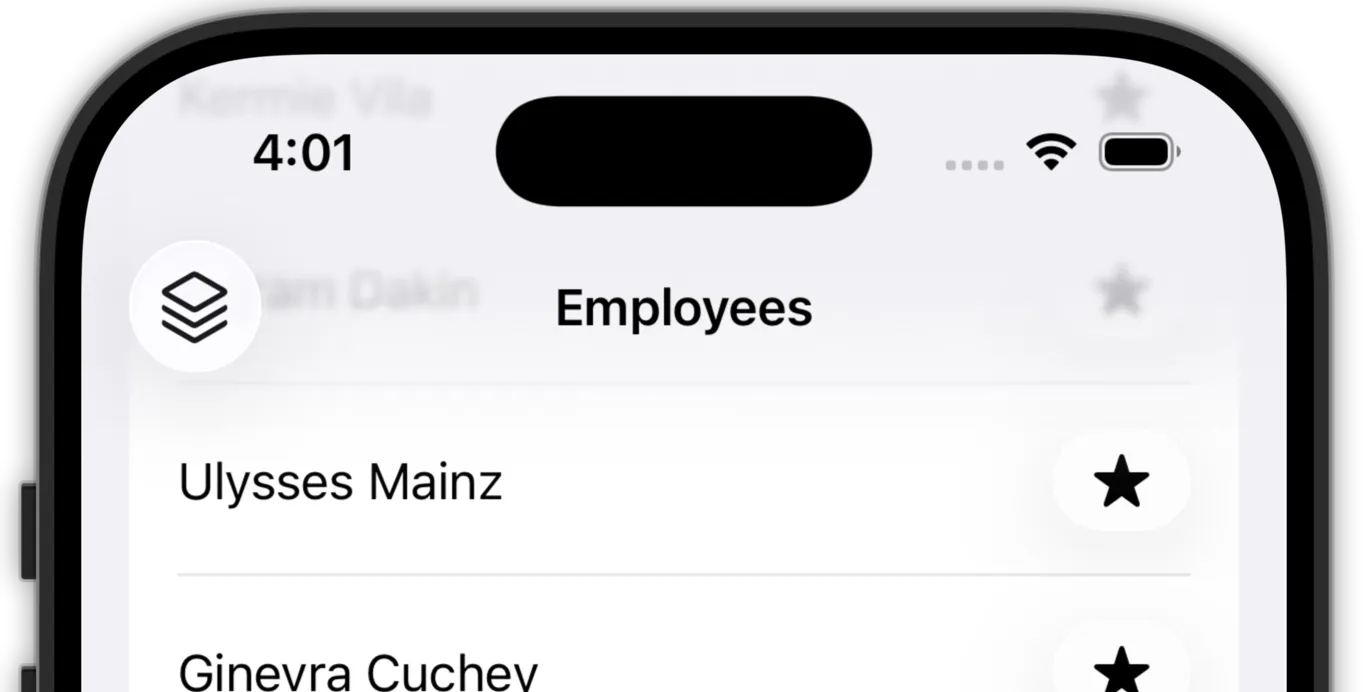
15. ToolbarItemGroup and automatic merging
ToolbarItemGroup(placement: .bottomBar) { Button { } label: { Label("Add", systemImage: "plus") } Button { } label: { Label("Remove", systemImage: "minus") }}The system groups and applies Liquid Glass without manual stacks.
16. ToolbarSpacer (iOS 26+)
ToolbarSpacer(placement: .bottomBar)- Clean visual separation.
- System coherence.
- iOS 26+ only.

17. Menus with Liquid Glass by default
Menu { Button { } label: { Label("Ascending", systemImage: "arrowshape.up") }} label: { Label("Sort", systemImage: "square.stack.3d.up")}Menus already ship with blur and animation.

18. Sheets and detents
.medium-> translucent.large-> more opaque
.presentationBackgroundInteraction( .enabled(upThrough: .medium))The system communicates visual hierarchy for you.
19. UIDesignRequiresCompatibility
UIDesignRequiresCompatibility = YES- Disables Liquid Glass.
- Keeps iOS 18 look.
- Temporary (gone in Xcode 27).
This is not a permanent opt-out.
20. New ButtonStyles (iOS 26)
.glass.glassProminent
.buttonStyle(.glass).glass is translucent and .glassProminent is more solid.
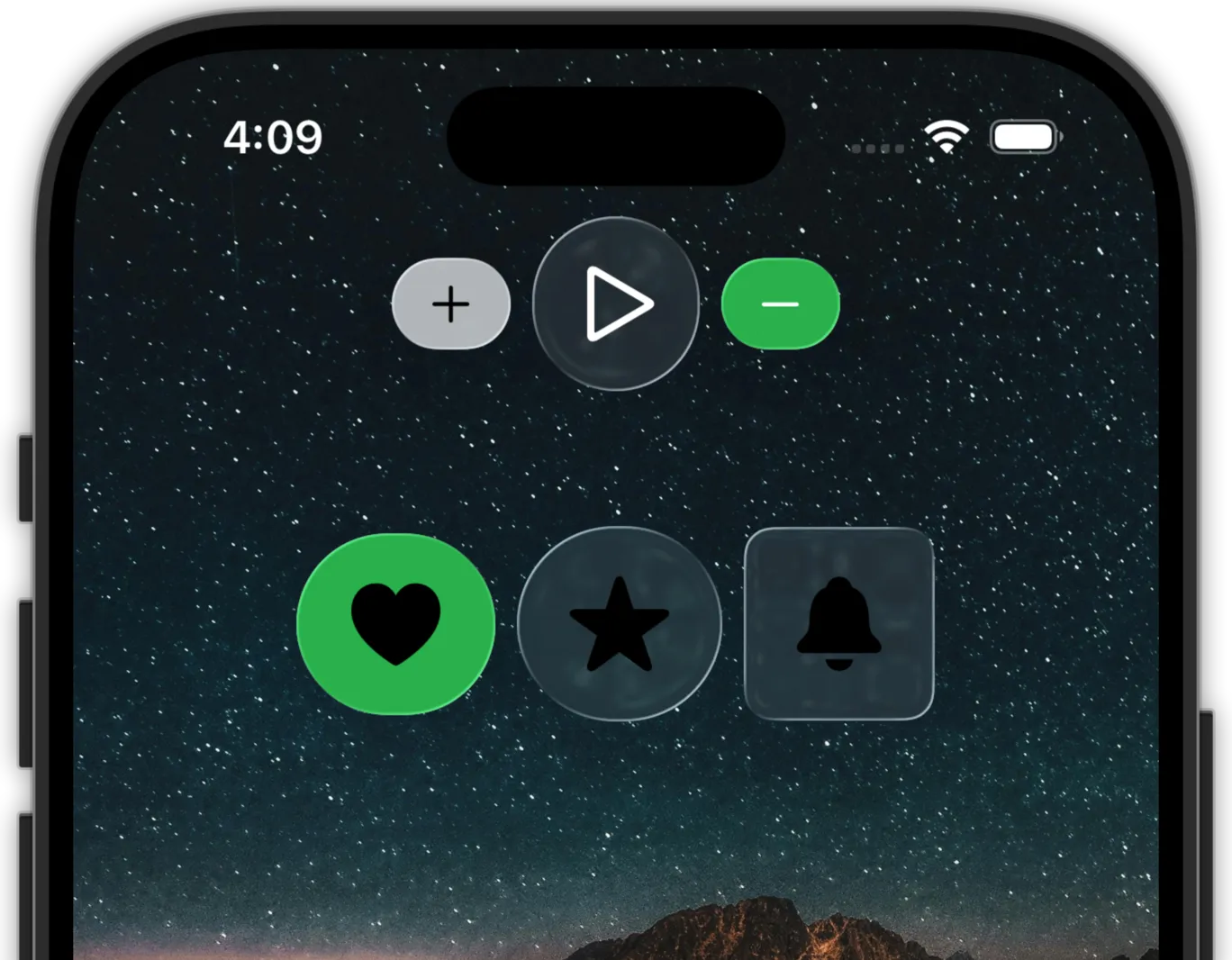
21. Button abstraction (recommended)
struct AppButton<Content: View>: View { ... if #available(iOS 26, *) { .buttonStyle(.glass) } else { .buttonStyle(.bordered) }}One component, two eras.
22. glassEffect (use with moderation)
.glassEffect(.clear, in: .rect(cornerRadius: 11))It is expensive if you spam it in long lists or heavy scrolling grids.

23. GlassEffectContainer (performance)
GlassEffectContainer { HStack { Image(systemName: "heart") Image(systemName: "star") Image(systemName: "bell") }}- One render pass.
- Better performance.
- Coherent motion.
24. Button roles
Button(role: .confirm) { }Button(role: .close) { }Roles = correct appearance + accessibility + consistency.
25. Mental rule: Liquid Glass is a language
Liquid Glass is not decoration. It is the system’s visual language.
Conclusion
Swift 6 forces explicit concurrency. iOS 26 forces trust in the visual system.
Both point to the same goal: fewer hacks, more intention.
Notes taken during the Swift Developer Workshop 2025 (Apple Coding Academy) and reinterpreted from a practical, real-world perspective.
Related
-
- swift
- concurrency
- ios
Complete Swift 6.2 Guide: Approachable Concurrency Explained
Interactive guide covering the 5 feature flags of Approachable Concurrency in Xcode 26, recommended configuration, and step-by-step migration guide.
-
- swift
- ai
Swift Refresh 2025 – Day 5: Modern AI, Foundation Models, and AI-powered development
A deep dive into Day 5 of Swift Refresh Workshop 2025: neural networks, Transformers, Apple on-device models, FoundationModels, and practical methodology for integrating AI into apps.
-
- swift
- concurrency
- ios
Swift Refresh 2025 – Day 4 (Part 2): Modern Observation and Reactive UIKit
A deep dive into the second part of Day 4: Observation as AsyncSequence, truly reactive UIKit with observable models, and typed notifications.