Swift from Zero to Expert #1: Data types, operators, and how Swift thinks about memory
First article in the Swift from Zero to Expert series. We explore fundamental data types, operators, and why Swift decides to put things on the stack.
How many years have you been writing Swift? Two, five, eight? Now let me ask you a different question: do you know exactly what happens when you write let name = "Juan"? I don’t mean “a constant is created.” I mean where that constant lives in memory, why the compiler chooses to put it there, and what implications that decision has for your app’s performance.
If you can’t answer with confidence, don’t worry. Most iOS developers — even seniors — use Swift without truly understanding how the language thinks under the hood. And that’s not a problem… until it is. Until your app stutters, consumes memory out of control, or you have a memory leak you just can’t track down.
Using Swift without understanding its memory model is like driving a car without knowing it has mirrors. It works, until you need to change lanes.
Welcome to Swift from Zero to Expert
This is the first article in a 20-part series where we’ll walk through all of the Swift language — from the most basic data types to advanced functional programming. But this won’t be a surface-level tour. In each article, we’ll weave a common thread: how Swift manages memory and how the compiler benefits from the language’s design.
Why? Because understanding this transforms you from someone who uses Swift into someone who masters Swift. And the difference between those two profiles shows in interviews, in the code you produce, and in the bugs you never end up creating.
- Phase 1: Foundations — types, collections, strings, control flow, functions
- Phase 2: OO Swift — closures, enums, structs vs classes, inheritance, init/deinit
- Phase 3: Advanced — optionals, error handling, protocols, generics, macros
- Phase 4: Expert — ARC, memory safety, access control, advanced operators, functional programming
Today we start with the foundations: constants, variables, data types, and operators. And at the end, we’ll ground everything in memory — because even something as simple as an Int has a story to tell.
Constants and variables: let vs var
In Swift, everything begins with a declaration. You have two options:
let pi = 3.14159 // Constant — cannot changevar counter = 0 // Variable — can changecounter += 1 // ✅ This works// pi = 3.14 // ❌ Compile-time errorlet declares a constant. var declares a variable. Simple. But there’s something deeper here worth understanding.
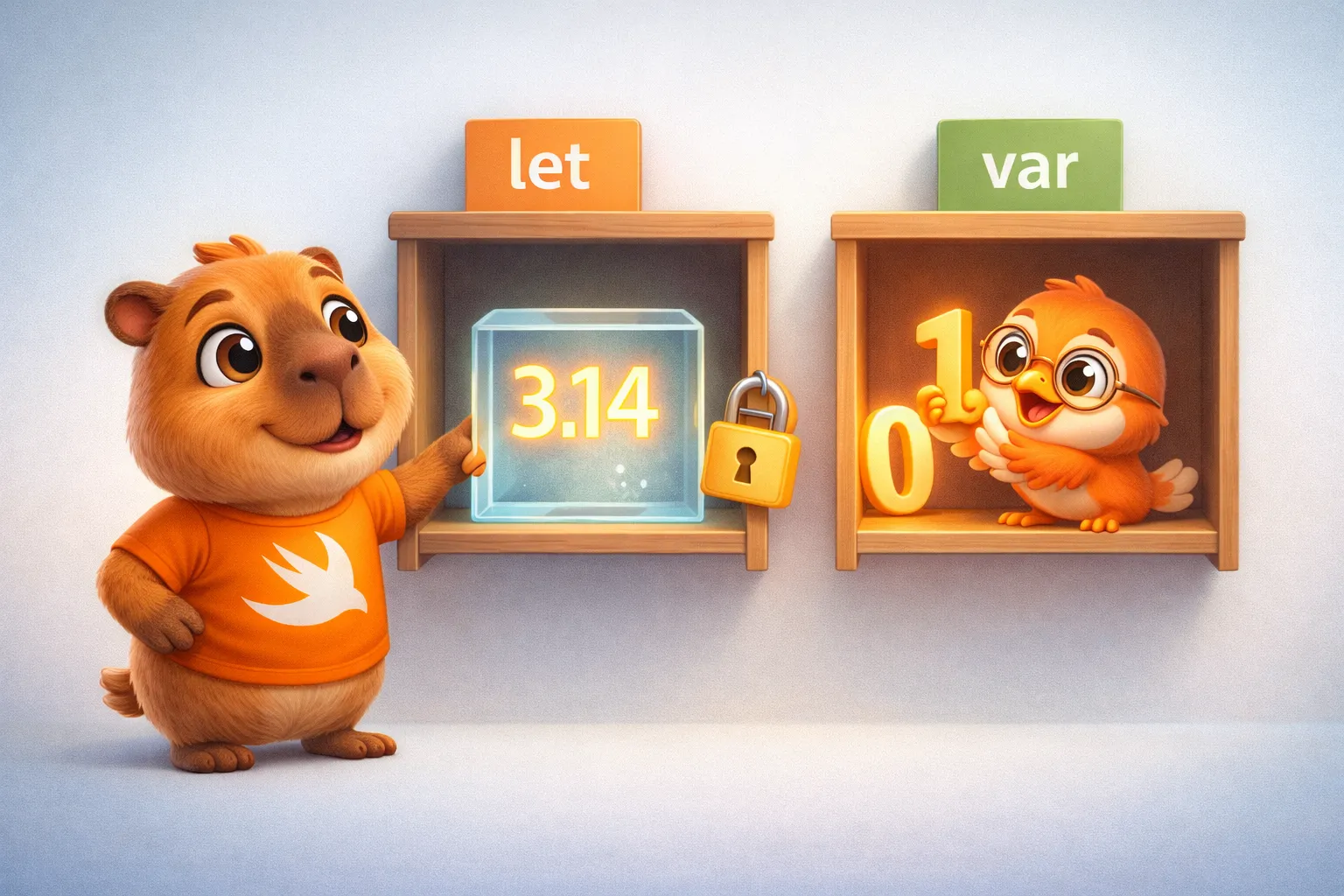
When you use let, you’re not just communicating your intent to the team — you’re giving the compiler information. You’re telling it: “this value will never change.” And the compiler uses that promise to make optimization decisions. It can store the value directly in a processor register (a tiny slot of ultra-fast storage inside the CPU itself), eliminate unnecessary checks, or even substitute references to the value with the value itself (constant folding — the compiler computes the value once at build time and bakes it straight into the code).
Type annotations vs type inference
Swift is a strongly typed language — every value has a type, no exceptions. But you don’t always need to write it explicitly:
// Type annotation — you declare the typelet age: Int = 30let name: String = "Swift"
// Type inference — the compiler figures out the typelet age = 30          // The compiler infers Intlet name = "Swift"    // The compiler infers String
Both forms produce exactly the same result. Type inference isn’t magic and has no runtime cost — it happens entirely at compile time. By the time your code runs on the device, the compiler already knows the exact type of every variable. No ambiguity, no runtime decisions.
Fundamental data types
Swift has a set of primitive types that form the foundation of everything else. Let’s get to know them one by one — and understand what they really are.
Integers: Int
let users = 1_000_000 // Underscores improve readabilitylet temperature = -15 // Integers can be negativeInt in Swift adapts to the platform: on a 64-bit device (every iPhone since the 5s), Int is a 64-bit integer. That means it can store values from -9,223,372,036,854,775,808 to 9,223,372,036,854,775,807.
Swift also offers explicitly sized variants: Int8, Int16, Int32, Int64, and their unsigned counterparts: UInt8, UInt16, UInt32, UInt64.
let byte: UInt8 = 255 // Maximum value for unsigned 8-bitlet small: Int8 = 127 // Maximum value for signed 8-bit// let overflow: UInt8 = 256 // ❌ Compile-time error — out of rangeThat last example is important. In C or C++, an overflow like that would compile silently and give you an unexpected result. In Swift, the compiler catches it before your code ever runs. This isn’t a minor detail — it’s a design philosophy.
Int8/UInt8→ 1 byte (8 bits)Int16/UInt16→ 2 bytes (16 bits)Int32/UInt32→ 4 bytes (32 bits)Int64/UInt64→ 8 bytes (64 bits)Int/UInt→ 8 bytes on 64-bit platforms
Decimals: Double and Float
let pi = 3.14159 // The compiler infers Doublelet gravity: Float = 9.8 // Explicitly FloatDouble has 64-bit precision (at least 15 decimal digits). Float has 32-bit precision (6 digits). Swift infers Double by default when you write a number with a decimal point — and that’s the right choice in most cases. Don’t use Float unless you have a specific reason (like interoperating with graphics APIs that expect Float).
Booleans: Bool
let isActive = truelet hasPermission = falseA Bool takes up 1 byte in memory, even though it technically only needs 1 bit. Why? Because the smallest unit the processor can address is a byte. It’s a trade-off between memory efficiency and access efficiency.
Strings (introduction)
let greeting = "Hello, Swift"let interpolated = "I'm \(age) years old"let multiline = """ This is a string that spans multiple lines and respects indentation """Strings deserve their own article — and they’ll get one in #3 of this series. For now, what you need to know is that String is a value type in Swift (it’s a struct). A value type means each variable holds its own independent copy of the data — not a shared link to it. The opposite, reference types, we’ll meet when we get to classes. But its actual content — the characters — is stored in a buffer that may live on the heap — a flexible but slower memory area we’ll explain near the end of this article. We’ll come back to this.
Type Safety: the compiler as your ally
Swift won’t let you mix types without being explicit:
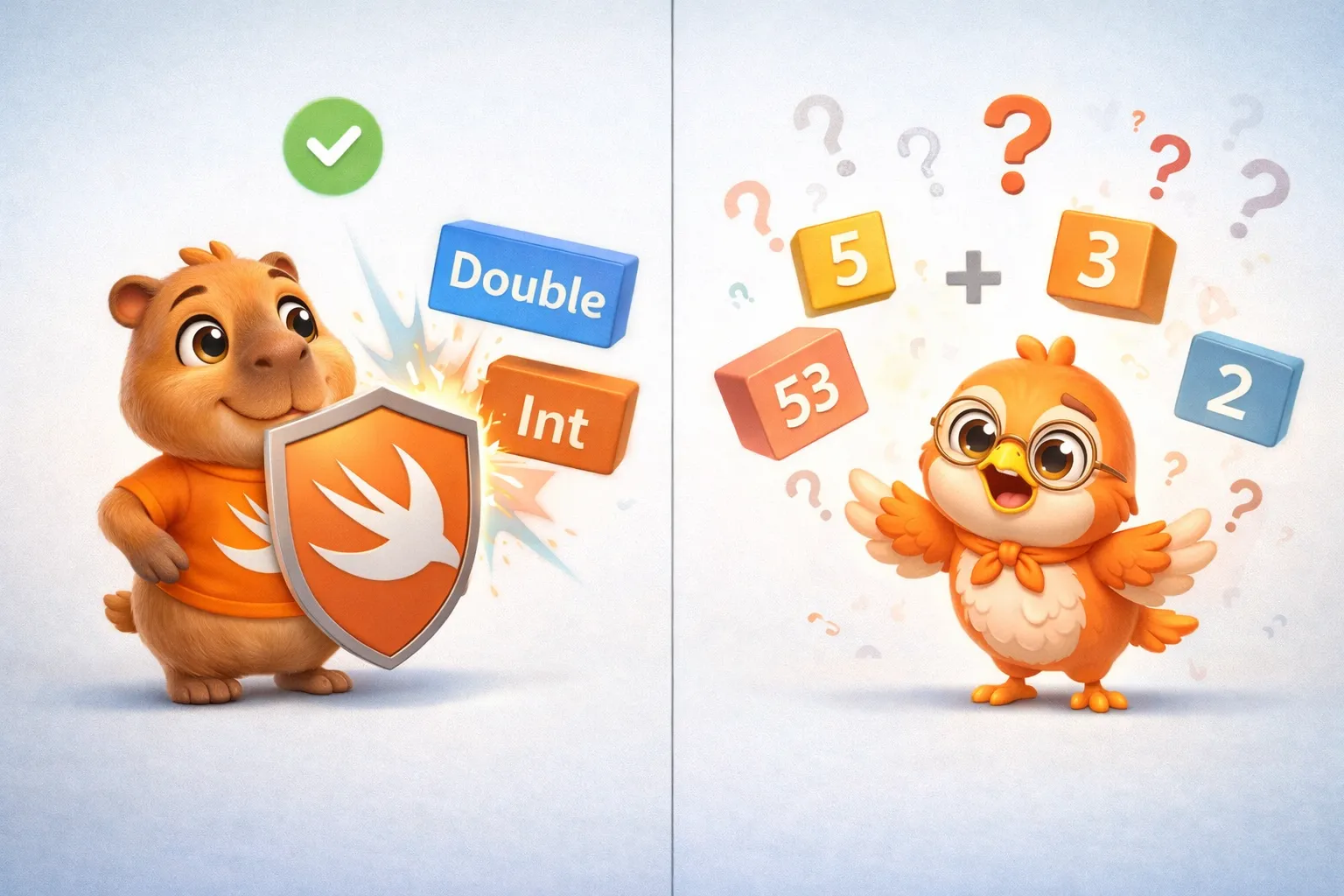
let integer = 42let decimal = 3.14// let sum = integer + decimal  // ❌ Error: you can't add Int + Double
let sum = Double(integer) + decimal  // ✅ Explicit conversion
Is this annoying? Sometimes. Is it intentional? Absolutely. Swift prefers you to be explicit about conversions because implicit conversions are a constant source of subtle bugs in other languages.
Think about JavaScript, where "5" + 3 gives you "53" (concatenation) but "5" - 3 gives you 2 (arithmetic). That never happens in Swift. The compiler forces you to say exactly what you mean.
Operators
Swift includes the operators you’d expect from any modern language, but with some details worth knowing.
Arithmetic operators
let sum = 10 + 3         // 13let difference = 10 - 3  // 7let product = 10 * 3     // 30let division = 10 / 3    // 3 (integer division)let remainder = 10 % 3   // 1
let realDivision = 10.0 / 3.0  // 3.333... (decimal division)
A key detail: integer division discards the decimal. 10 / 3 is 3, not 3.333. This isn’t a bug — it’s the correct behavior for integer arithmetic. If you want the decimal result, at least one operand must be Double.
Another important detail: Swift’s arithmetic operators detect overflow by default. If you try to add two Int8 values that exceed their range, your app crashes with a clear message — in both debug and release builds. A deterministic crash beats a silently wrong result. If you intentionally need wrapping behavior (like C), use the special &+ / &- / &* operators.
// If you need overflow wrapping (like C), use the special operators:let wrapped = Int8.max &+ 1 // -128 (overflow wrapping)Comparison and logical operators
// Comparison1 == 1   // true2 != 1   // true2 > 1    // true1 < 2    // true1 >= 1   // true2 <= 1   // false
// Logicallet a = truelet b = false!a          // false (NOT)a && b      // false (AND)a || b      // true  (OR)
The logical operators && and || use short-circuit evaluation. This means a && b won’t evaluate b if a is false — because the result is already false regardless of what b is. This isn’t just an optimization: it’s something you can use intentionally:
// The second check only runs if the first one is trueif user != nil && user!.isActive { // Safe — we never reach the force unwrap if user is nil}user! force-unwraps the optional (asserts it is not nil) — it crashes if it is, which is why the nil check guards it. Full optionals coverage is in #11.
The ternary operator
let access = age >= 18 ? "Allowed" : "Denied"Compact and useful, but don’t overuse it. If the condition or results are complex, an if/else is more readable.
Nil-Coalescing: ??
let name: String? = nillet greeting = "Hello, \(name ?? "visitor")"// "Hello, visitor"This operator deserves a preview because you’ll use it constantly. It says: “use the value if it exists, otherwise use this default.” We’ll go deep into optionals in article #11, but it’s worth seeing it now.
Range operators
// Closed range — includes both endpointsfor i in 1...5 {    print(i)  // 1, 2, 3, 4, 5}
// Half-open range — excludes the upper boundfor i in 0..<5 {    print(i)  // 0, 1, 2, 3, 4}
// Partial rangeslet names = ["Ana", "Bob", "Carlos", "Diana"]let firstTwo = names[..<2]     // ["Ana", "Bob"]let fromThird = names[2...]    // ["Carlos", "Diana"]
Note: range subscripts yield an ArraySlice<String>, not a new Array; wrap with Array(names[..<2]) if you need a fresh array.
The half-open range (0..<array.count) is particularly useful for iterating arrays — and it’s so common that Swift offers even more expressive alternatives we’ll explore in future articles.
Tuples: lightweight grouping
Tuples let you group multiple values into one — without needing to create a struct or a class:
let coordinate = (latitude: 19.4326, longitude: -99.1332)print(coordinate.latitude)   // 19.4326
// Decompositionlet (lat, lon) = coordinateprint(lat)  // 19.4326
// Ignoring values with _let httpResponse = (200, "OK")let (statusCode, _) = httpResponseprint(statusCode)  // 200
Tuples are compound value types. Their size in memory is the sum of their components’ sizes. The tuple (Int, Bool) takes up 9 bytes: 8 from the Int + 1 from the Bool (alignment padding — extra unused bytes the compiler sometimes inserts so values sit at memory addresses the CPU can read efficiently). Strictly speaking, 9 bytes is the logical size; the actual storage stride is 16 bytes due to 8-byte alignment.
Type Aliases: names that communicate
typealias Speed = Doubletypealias Coordinate = (latitude: Double, longitude: Double)
let maximum: Speed = 120.0let location: Coordinate = (19.4326, -99.1332)
A typealias doesn’t create a new type — it’s simply another name for an existing type. It has zero cost in memory or performance. It’s syntactic sugar to improve your code’s readability.
Where does all this live? Thinking about memory
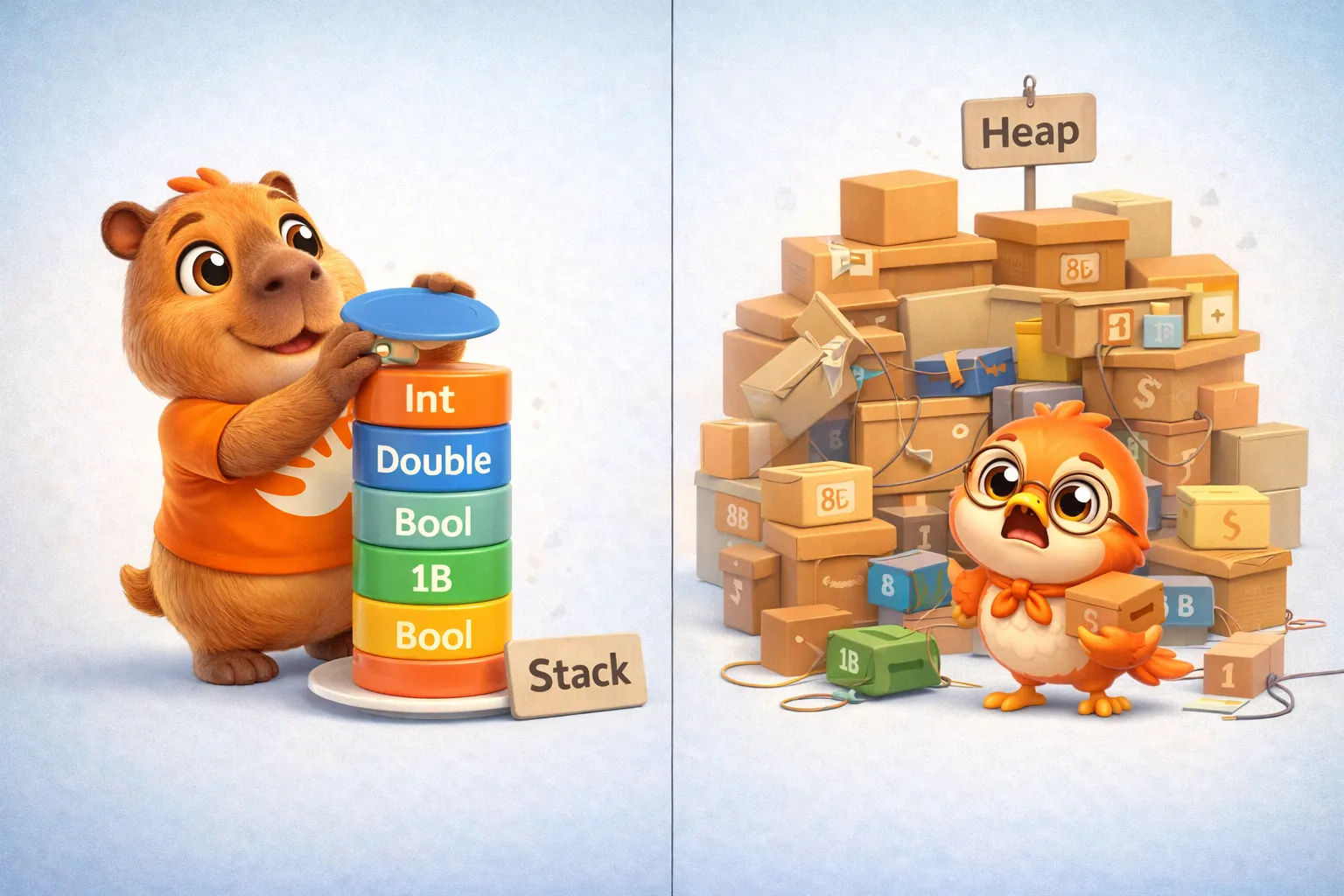
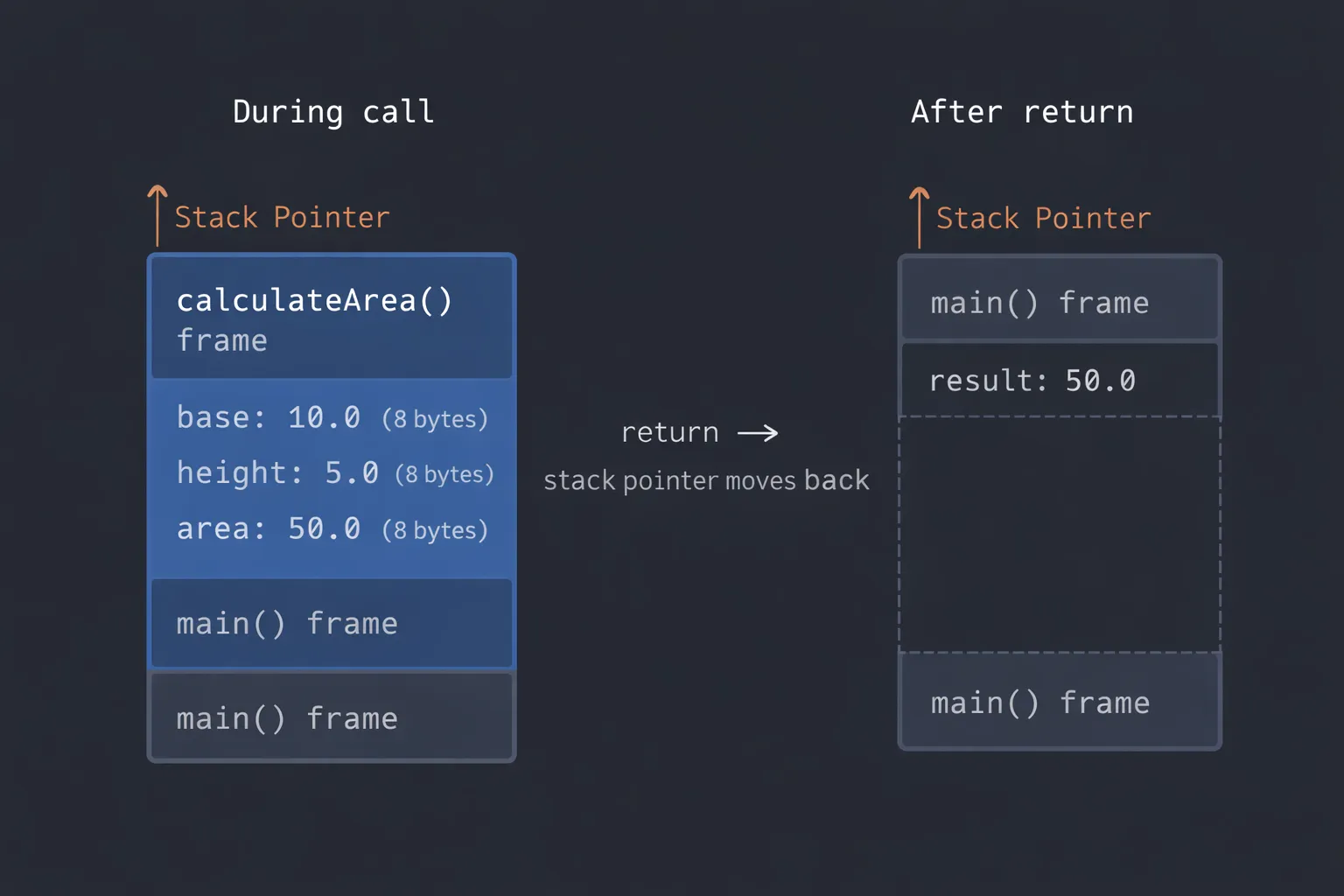
We’ve arrived at the part that makes this series different. Everything we just covered — Int, Double, Bool, tuples, let, var — these are all value types. And value types, in most cases, live on the Stack.
If you’ve already read Mastering Instruments (Part 2), you’ll remember that the Stack is that fast, predictable chunk of memory where each function creates a “frame” on entry and destroys it on exit. No malloc/free (the manual memory-allocate/free calls from C), no ARC — just a pointer (a value holding a memory address) moving up and down.
Let’s see this with a concrete example. Navigate step by step to see how the stack frame grows and gets destroyed:
How does the Stack move?
Click each step to see how the stack frame grows and gets destroyed.
This entire process is incredibly fast — moving a pointer is literally a single processor instruction.
- Integers (
Int,Int8,Int16,Int32,Int64) - Decimals (
Double,Float) - Booleans (
Bool) - Tuples (the sum of their components)
- Local variables of value types
- Function parameters
When do things end up on the Heap?
There are cases where even a value type ends up on the Heap:
- When it’s captured by a closure (we’ll see this in article #6)
- When it’s stored in an existential container (a kind of box for protocol values — article #13)
- When the value type is too large for the stack
- Reference types (
class,actor) always go to the Heap
But for now, with the types we’ve covered today, we’re firmly in Stack territory. And that’s great news for performance.
The compiler as your copilot
Something I want you to take away from this first article: Swift’s compiler is not an obstacle — it’s your best tool. Every restriction it imposes (type safety, overflow detection, explicit conversions) is a class of bug it eliminates before your code ever runs.
Think about the cost: zero at runtime. The compiler does all its work before generating the binary. When your app runs on the user’s device, there are no type checks, no inference. All of that already happened. What’s left is clean, optimized code that knows exactly what types it’s working with.
Swift’s compiler doesn’t put up roadblocks — it builds you a highway. And the more information you give it (explicit types, let constants, value types), the smoother that highway gets.
Recap
Today we covered Swift’s foundations:
letandvar— constants and variables, and whylethelps the compiler- Fundamental types —
Int,Double,Float,Bool,String(intro) - Type Safety — the compiler verifies types at compile time, zero runtime cost
- Type Inference — the compiler deduces types automatically
- Operators — arithmetic (with overflow detection), comparison, logical, ternary, nil-coalescing, ranges
- Tuples — lightweight value grouping
- Type aliases — descriptive names at zero cost
- Memory — everything today lives on the Stack, fast and predictable
What’s next
In the next article, we’ll dive into collections: Array, Set, and Dictionary. And that’s where the memory story gets interesting, because collections are value types… but their contents live on the Heap. We’ll talk about copy-on-write, one of Swift’s most elegant optimizations, and why the compiler can eliminate copies that never needed to exist.

See you next week.
Mastering Swift isn’t about memorizing syntax — it’s about understanding the design decisions that made this language what it is. And that starts here, from the foundations.
Related
-
- swift
- swift-zero-expert
- swift-fundamentals
Swift from Zero to Expert #15: Opaque & Boxed Protocol Types
The third door out of 'I don't want to name the concrete type'. some hides one concrete type while keeping its identity — no box, compile-time. any erases the type into a runtime box. This is how you finally return a protocol that has an associatedtype.
-
- swift
- swift-zero-expert
- swift-fundamentals
Swift from Zero to Expert #14: Generics
One swapTwoValues, one Stack<Element>, one findIndex — written once, working for every type. Generics let the caller pick the concrete type, the compiler specialize the code, and the box from #13 disappear. Array, Dictionary, Optional, and Result were generic all along.
-
- swift
- swift-zero-expert
- swift-fundamentals
Swift from Zero to Expert #13: Protocols
A protocol is a contract, not a class. It says what a type must do without saying what it is — and that single idea powers delegation, synthesized Equatable, existentials, and the protocol extensions that make Swift idiomatic.