
Swift from Zero to Expert #2: Collections — Array, Set and Dictionary under the hood
Discover how Swift's collections work inside: when to use each one, their algorithmic complexity, and the elegance of copy-on-write.
In the previous article we explored fundamental data types — all value types living comfortably on the stack. Today the story changes. Swift’s collections (Array, Set, Dictionary) are structs — value types on paper — but their actual content lives on the heap.
How does Swift resolve this contradiction? With one of the most elegant optimizations in the language: copy-on-write. And understanding it will change the way you think about your code’s performance.
Swift’s collections are an act of magic: they behave like values, but inside they’re as efficient as references.
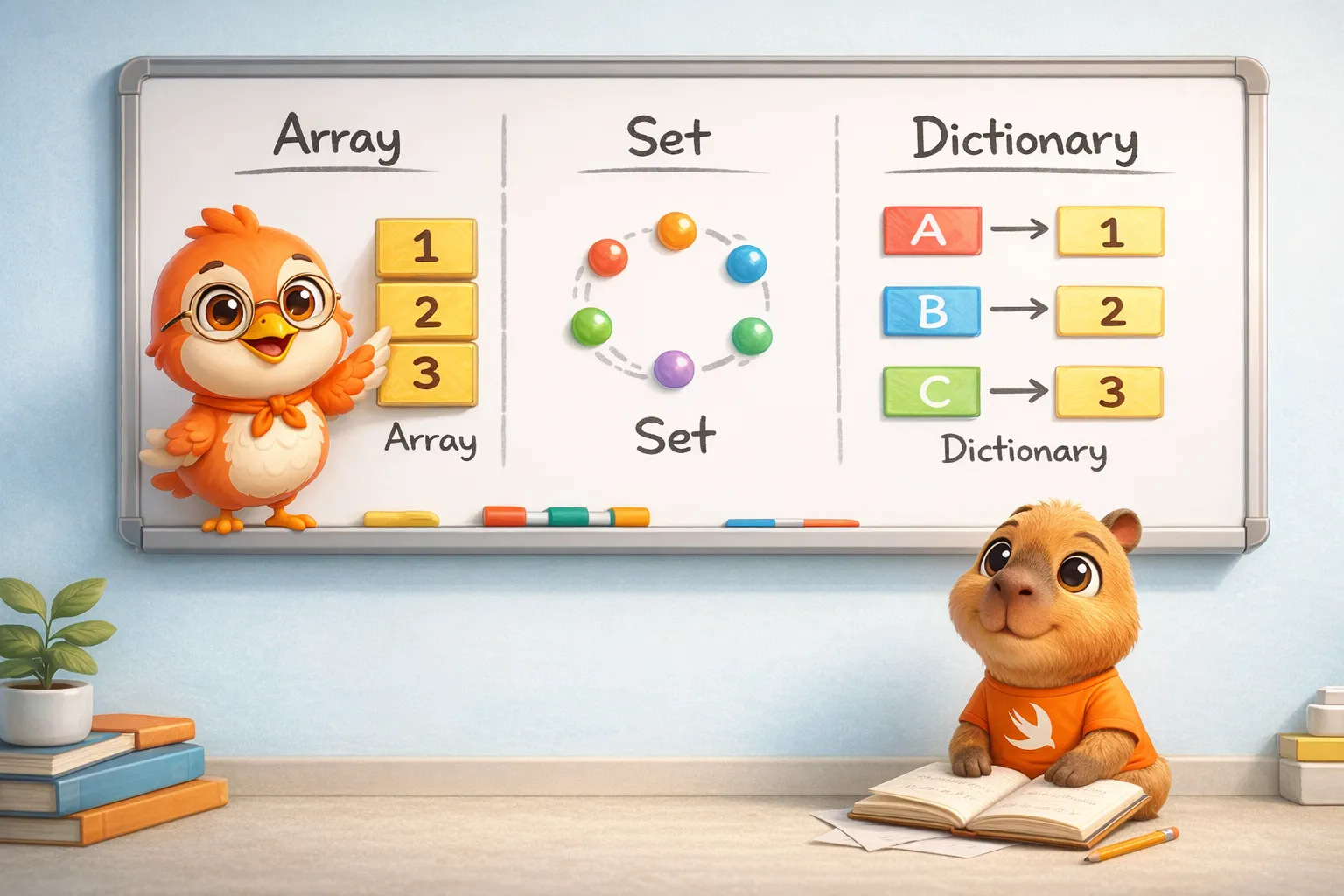
The three fundamental collections
Swift provides three collection types to cover virtually any data storage need. Each one has its own personality, its strengths, and its algorithmic complexity. The official documentation presents them in Collection Types:
- Array — Ordered collection of values. Allows duplicates.
- Set — Unordered collection of unique values.
- Dictionary — Unordered collection of key-value pairs.
All three share something in common: they’re generic types — generic means the same code works for any element type (Array<String>, Array<Int>, etc.) without rewriting it. When you write [String], you’re really writing Array<String>. The compiler generates specialized code for each concrete type — and that has performance implications we’ll explore later. (We cover generics in depth in article #12.)
Array: the collection you’ll use the most
An Array stores values of the same type in an ordered list. The same value can appear multiple times at different positions.
Creation
// Empty arrayvar numbers: [Int] = []var anotherEmpty = [Int]()
// With initial valuesvar fruits = ["🍎", "🍊", "🍋"]
// With default valuevar zeros = Array(repeating: 0, count: 5)// [0, 0, 0, 0, 0]
// Combining arrayslet moreFruits = fruits + ["🍇", "🍓"]// ["🍎", "🍊", "🍋", "🍇", "🍓"]
Notice how in var fruits = ["🍎", "🍊", "🍋"] you don’t need to write the type — the compiler infers [String] automatically. Type inference in action, with zero runtime cost.
Access and modification
var list = ["Eggs", "Milk", "Flour"]
// Readlet first = list[0]              // "Eggs"list.count                        // 3list.isEmpty                      // false
// Addlist.append("Butter")            // at the endlist.insert("Salt", at: 0)       // at specific positionlist += ["Sugar", "Vanilla"]     // concatenate
// Modifylist[0] = "Sea salt"             // replace onelist[2...4] = ["Bread", "Cheese"] // replace range
// Removelet removed = list.remove(at: 0) // returns the elementlet last = list.removeLast() // avoids querying countIteration
// Simplefor fruit in fruits {    print(fruit)}
// With indexfor (index, fruit) in fruits.enumerated() {    print("\(index): \(fruit)")}
Performance
This is where a good developer stands out from a great one. It’s not enough to know what each operation does — you need to know how much it costs:
Quick note on notation: O(1) means the cost stays constant no matter how many elements there are; O(n) means the cost grows in proportion to the number of elements n.
- Access by index
array[i]→ O(1) — instant append(_:)→ O(1) amortized — almost always instantinsert(_:at:)at beginning → O(n) — must shift all elementsremove(at:)at beginning → O(n) — must shift all elementscontains(_:)→ O(n) — walks through element by elementcount→ O(1) — stored as a property
Why is append O(1) amortized? Because Array pre-allocates extra space on the heap. When the buffer fills up, Swift creates a new one with double the capacity and copies everything over. That happens rarely, so on average each append is O(1).
var numbers = [Int]()print(numbers.capacity) // 0
numbers.append(1)print(numbers.capacity) // grows (exact value is implementation-defined)
numbers.append(2)numbers.append(3)print(numbers.capacity) // grows exponentially — you may see different numbers
The exact capacity values are an implementation detail of the standard library and toolchain, not a guarantee — what’s promised is that capacity grows exponentially, which is what makes append O(1) amortized.
Set: when order doesn’t matter but uniqueness does
A Set stores unique values of the same type with no defined ordering. It’s your best option when you need to check whether an element exists — and you need it to be fast.
Requirement: Hashable
To store a type in a Set, that type must conform to the Hashable protocol. All of Swift’s basic types (String, Int, Double, Bool) are already Hashable. If you create your own types, you can make them Hashable — we’ll talk about protocols in article #13.
Creation
// Empty setvar letters = Set<Character>()
// With array literal (needs type annotation)var genres: Set<String> = ["Rock", "Jazz", "Hip hop"]
// Short form — pick one of the two (Set must be declared, element type is inferred)var shortFormGenres: Set = ["Rock", "Jazz", "Hip hop"]
Note that Set doesn’t have syntactic sugar like [Element] for Array. You always need to write Set<Element> or at least Set.
Access and modification
var genres: Set = ["Rock", "Jazz", "Hip hop"]
genres.count        // 3genres.isEmpty      // false
genres.insert("Electronic")  // add
if let removed = genres.remove("Rock") {    print("\(removed) removed")}
genres.contains("Jazz")  // true — O(1)!
remove returns an Optional — a box that either holds a value or is nil. if let removed = ... unwraps it only when there is a value. Full coverage in article #11.
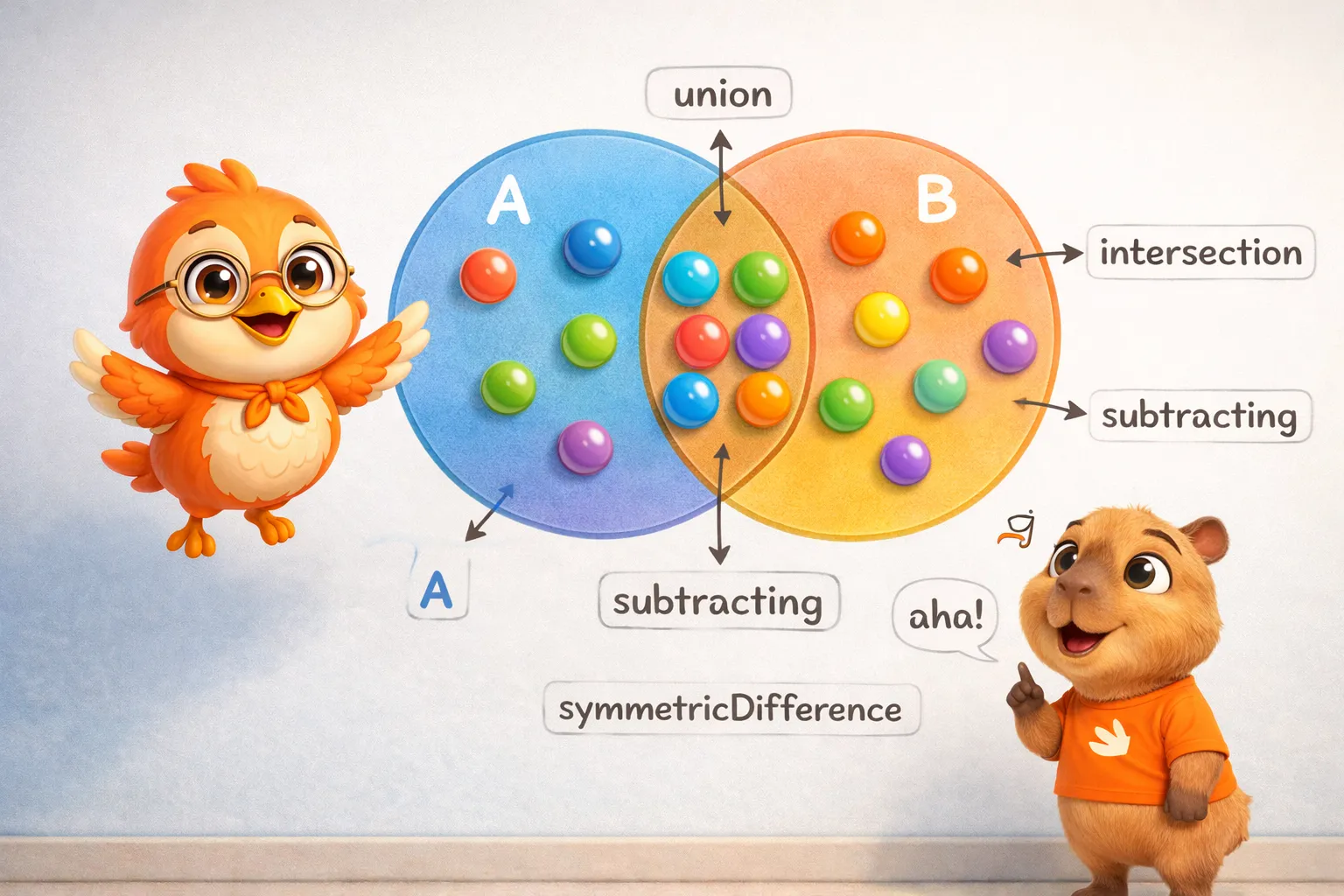
Set operations
This is the real power of Set — mathematical set operations in a single line:
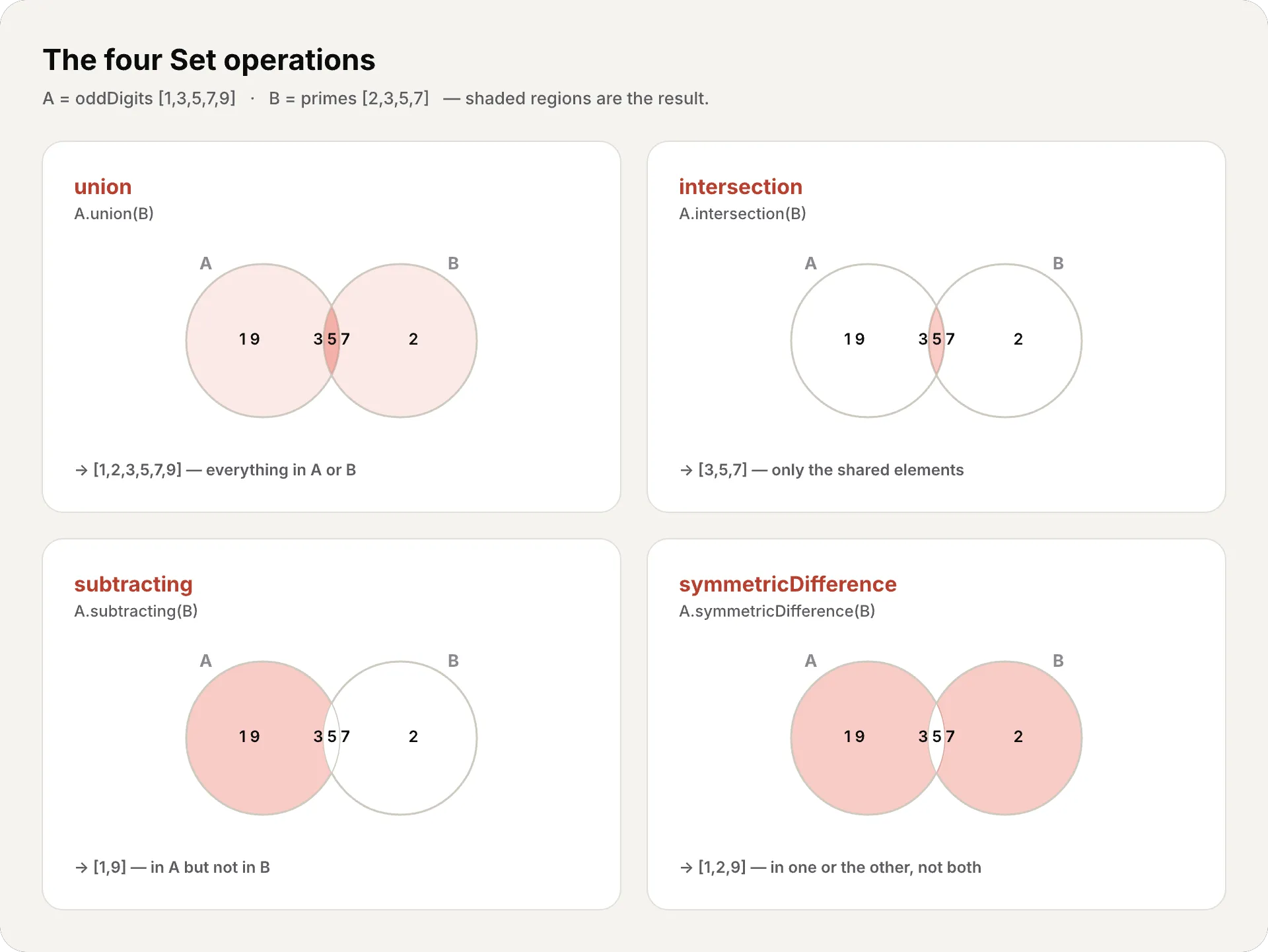
let oddDigits: Set = [1, 3, 5, 7, 9]let evenDigits: Set = [0, 2, 4, 6, 8]let primes: Set = [2, 3, 5, 7]
// Union — all elements from bothoddDigits.union(evenDigits).sorted()// [0, 1, 2, 3, 4, 5, 6, 7, 8, 9]
// Intersection — only the common onesoddDigits.intersection(primes).sorted()// [3, 5, 7]
// Difference — those in A but not in BoddDigits.subtracting(primes).sorted()// [1, 9]
// Symmetric difference — in one or the other, but not bothoddDigits.symmetricDifference(primes).sorted()// [1, 2, 9]
Set relationships
let pets: Set = ["🐶", "🐱"]let farm: Set = ["🐮", "🐔", "🐑", "🐶", "🐱"]let city: Set = ["🐦", "🐭"]
pets.isSubset(of: farm)         // truefarm.isSuperset(of: pets)       // truefarm.isDisjoint(with: city)     // true — nothing in common
Performance
insert(_:)→ O(1) — uses hash tableremove(_:)→ O(1) — uses hash tablecontains(_:)→ O(1) — this is the reason to use Set!union,intersection, etc. → O(n) — proportional to size
contains in O(1) is the key difference. If you have 1 million elements and need to check if one exists, an Array needs to check up to 1 million elements. A Set does it in constant time thanks to its hash table — it runs the value through a hash function to compute a number pointing almost directly to its slot, so it finds the element without scanning the whole collection.
Dictionary: key-value pairs
A Dictionary stores associations between keys of the same type and values of the same type, with no defined ordering. It’s like a real dictionary: you look up the word (key) and get the definition (value).
Creation
// Emptyvar names: [Int: String] = [:]
// With literal (type inferred as [String: String])var airports = ["LAX": "Los Angeles", "JFK": "New York"]
The key must conform to Hashable — just like in Set.
Access and modification
var airports = ["LAX": "Los Angeles", "JFK": "New York"]
airports.count     // 2airports.isEmpty   // false
// Add or updateairports["ORD"] = "Chicago"
// updateValue returns the old value (if it existed)if let old = airports.updateValue("Los Angeles Intl", forKey: "LAX") {    print("Was: \(old)")}
// Read — always returns Optionalif let name = airports["LAX"] {    print(name)  // "Los Angeles Intl"}
// Removeairports["JFK"] = nil // short formairports.removeValue(forKey: "ORD") // returns removed valueIteration
// Key-value pairsfor (code, name) in airports {    print("\(code): \(name)")}
// Keys onlyfor code in airports.keys {    print(code)}
// Values onlyfor name in airports.values {    print(name)}
// Convert keys/values to Arraylet codes = [String](airports.keys)let names = [String](airports.values)
Performance
- Access by key
dict[key]→ O(1) — uses hash table updateValue(_:forKey:)→ O(1)- Assign
dict[key] = value→ O(1) removeValue(forKey:)→ O(1)count→ O(1)
Dictionary uses the same hash table mechanism as Set. All key access is O(1).
Which collection to use?
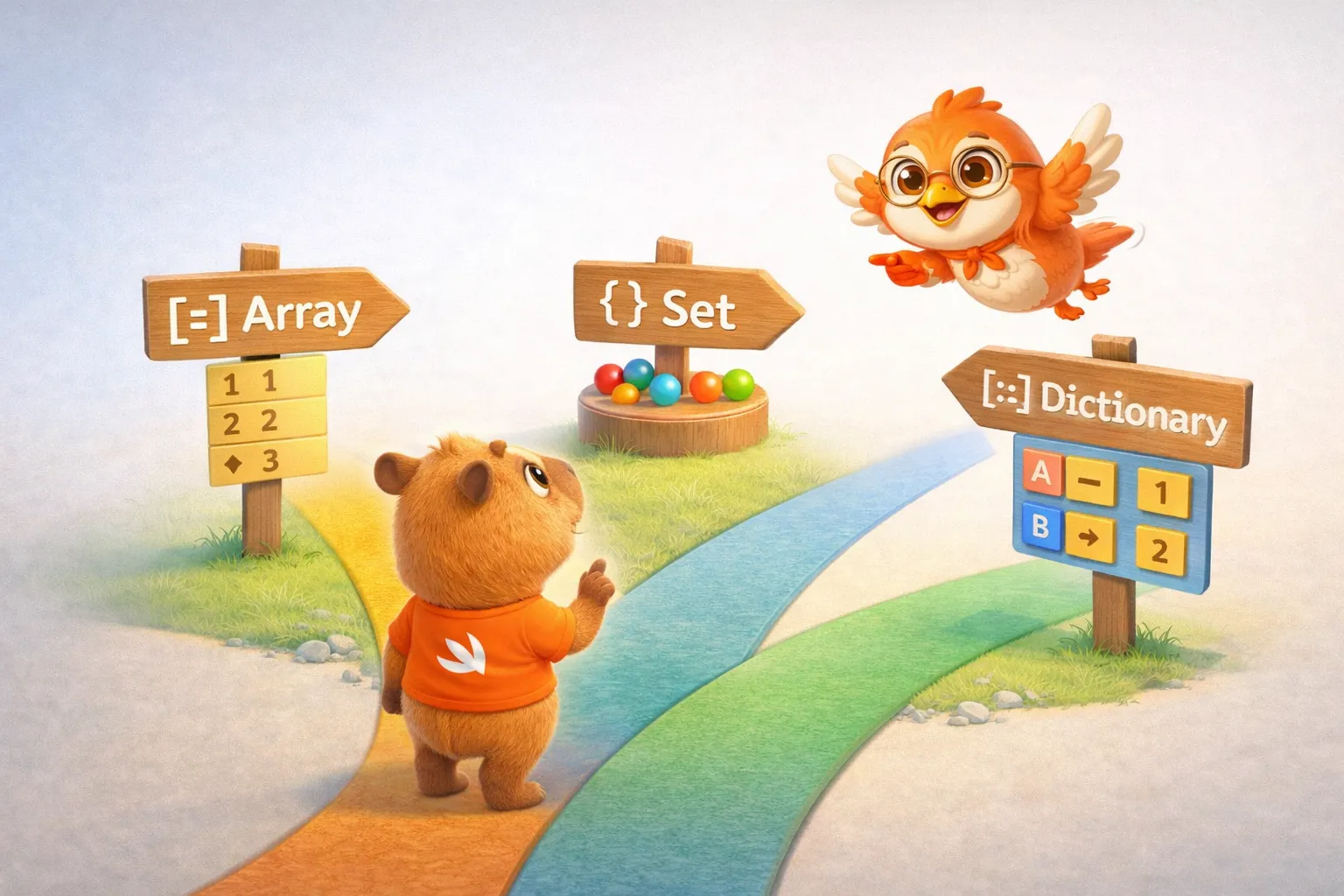
The decision is simpler than it seems:
// Need order and positional access?// → Arraylet history = ["login", "dashboard", "profile"]
// Need uniqueness and fast lookup?// → Setlet tags: Set = ["swift", "ios", "mobile"]
// Need to look up by key?// → Dictionarylet config = ["theme": "dark", "language": "en"]- Array → order matters, duplicates allowed, index access
- Set → order doesn’t matter, no duplicates, O(1) lookup
- Dictionary → key→value association, O(1) key lookup
Copy-on-Write: the magic under the hood
We’ve arrived at the most important part of this article — and the one that connects collections to our memory thread.
All three Swift collections are structs — value types. That means, in theory, every time you assign an array to another variable, you should get a complete copy. With an array of 10,000 elements, that would mean copying 10,000 elements every time.
But Swift doesn’t do that. It’s much smarter.
Copy-on-Write is the reason Swift can give you the safety of value types with the performance of reference types. The best of both worlds.
How does it work?
The idea is brilliant in its simplicity:
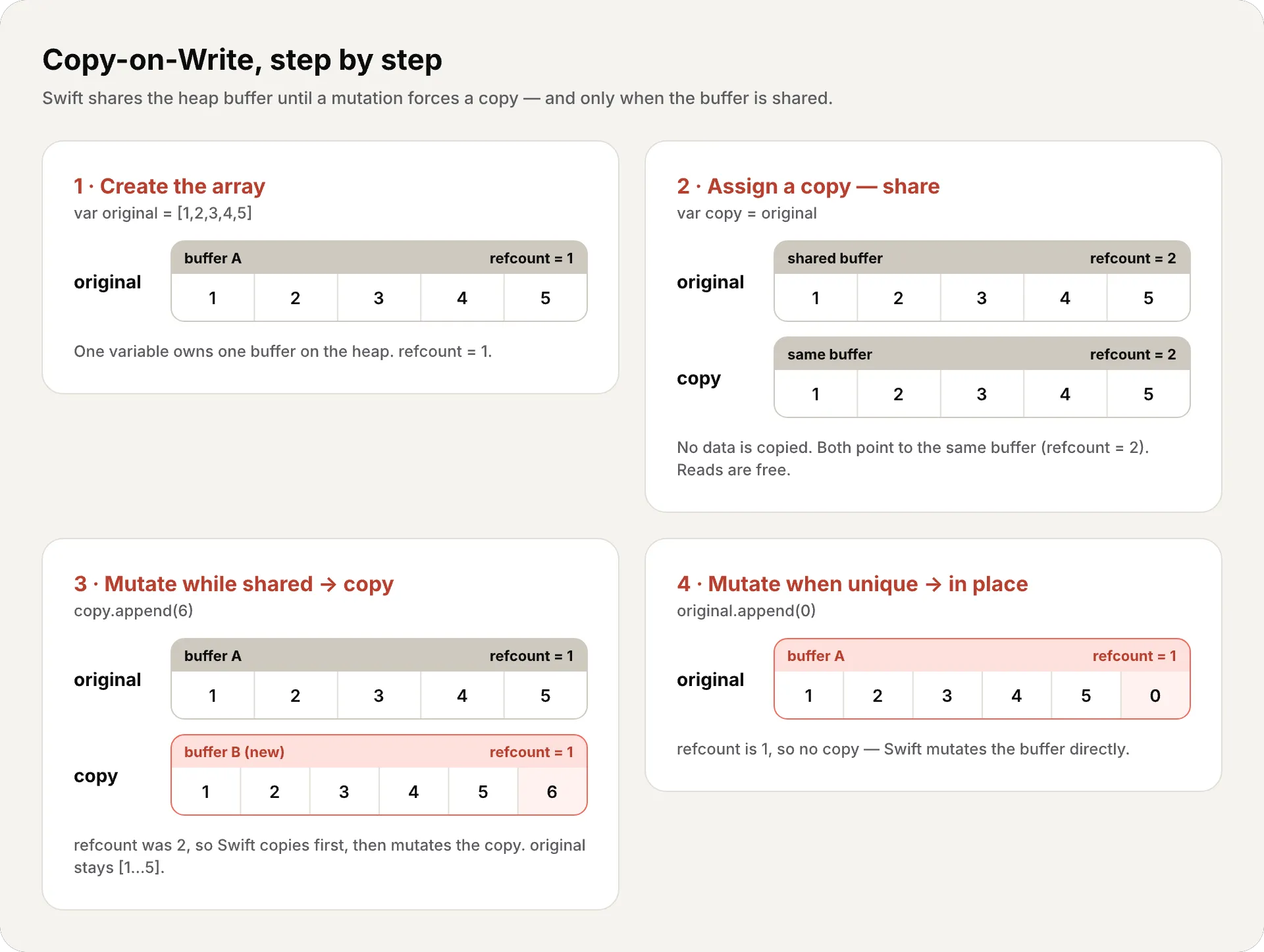
- When you assign an array to another variable, Swift doesn’t copy the elements. Both variables point to the same buffer on the heap. It only increments a reference counter — simply a number tracking how many variables currently point to the same buffer. When it’s greater than 1, more than one variable shares the buffer, so any mutation must copy first. (We’ll cover this counting mechanism — ARC — in depth in #18.)
- When you mutate one of the variables, Swift checks the counter: is there more than one reference to the buffer?
- Yes → Creates a copy of the buffer, modifies the copy. Now each variable has its own buffer.
- No → Modifies directly. Nobody else is using this buffer.
Follow it step by step:
Why does this matter?
Consider this code:
func processData(_ data: [Int]) -> [Int] {    // data is a "copy" — but nothing was actually copied yet    return data.filter { $0 > 0 }    // filter creates a new array, but data was never copied}
let original = Array(1...10_000)let result = processData(original)// original was passed "by value" but with zero copy cost
Here filter keeps only the elements matching a condition, and { $0 > 0 } is a closure — an inline mini-function where $0 is each element. (We cover closures in detail in article #6.)
Without CoW, passing an array of 10,000 elements to a function would copy 80,000 bytes (10,000 × 8 bytes per Int). With CoW, only a pointer is copied — 8 bytes. The actual copy only happens if the function modifies the array.
The internal structure
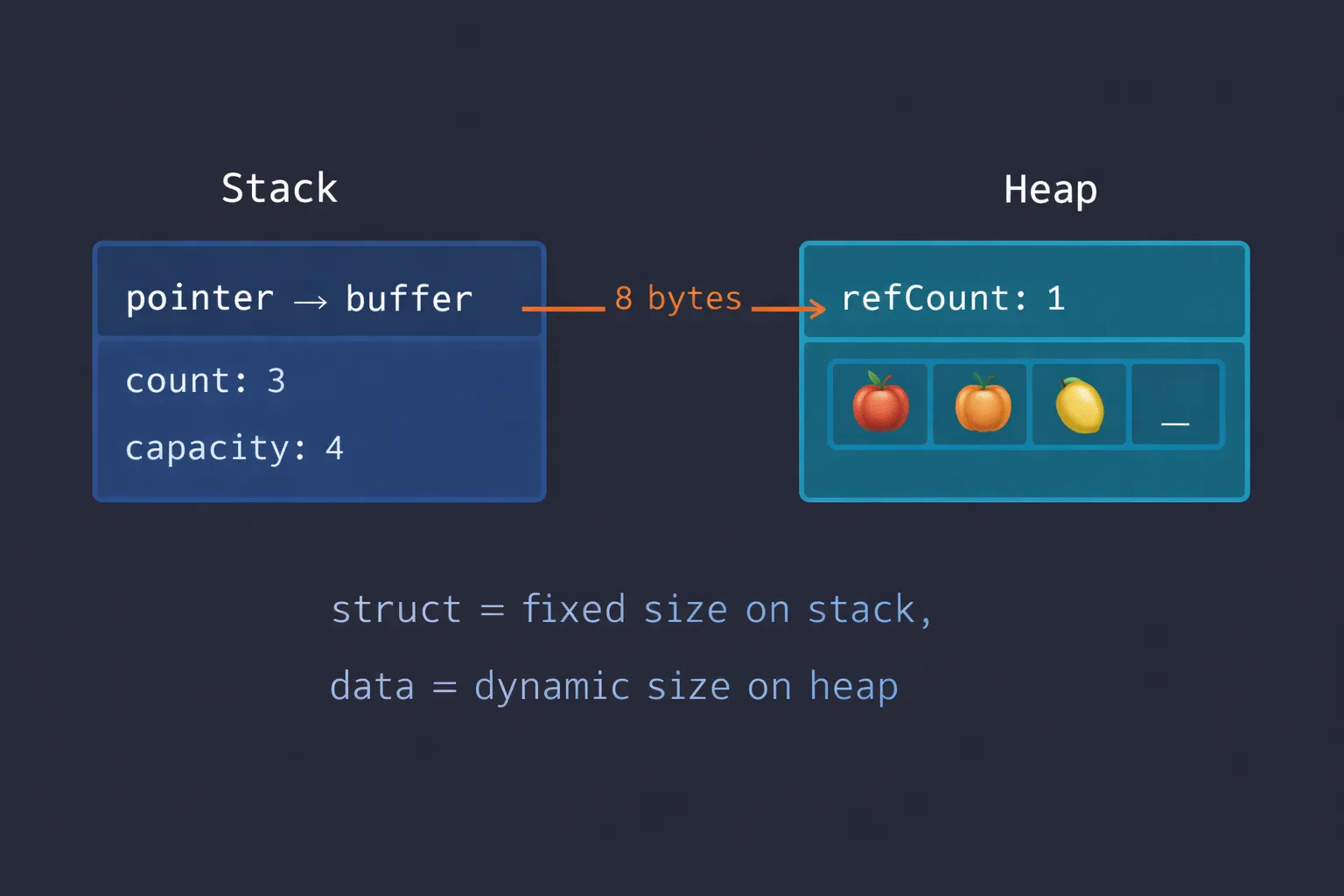
Every Swift collection has this structure in memory:
┌─────────────────────────────┐│ Stack ││ ┌───────────────────────┐ ││ │ var fruits │ ││ │ → pointer to buffer │ │──────┐│ └───────────────────────┘ │ │└─────────────────────────────┘ │ │┌─────────────────────────────┐ ││ Heap │ ││ ┌───────────────────────┐ │ ││ │ Buffer │◄─┼──────┘│ │ refCount: 1 │ ││ │ count: 3 │ ││ │ capacity: 4 │ ││ │ [🍎] [🍊] [🍋] [_] │ ││ └───────────────────────┘ │└─────────────────────────────┘The struct on the stack is tiny — really just a single pointer to a heap buffer (in fact MemoryLayout<[Int]>.size is 8). The count and capacity live in the buffer’s header on the heap, alongside the refCount that Swift uses to decide whether it needs to copy.
Collections and the compiler
There’s something we mentioned at the beginning that’s worth digging into: Swift’s collections are generic types. Array<Int> and Array<String> are different types, and the compiler generates specialized code for each one.
This is called generic specialization, and it’s one of the reasons Swift is faster than languages with generics based on type erasure (the generic type info is discarded at runtime, like Java). When the compiler sees Array<Int>, it generates code that works directly with 64-bit integers — no boxing (wrapping values in heap objects), no indirection, no overhead.
// The compiler generates specialized code for each typelet integers: [Int] = [1, 2, 3] // Works with Int directlylet texts: [String] = ["a", "b"] // Works with String directly// There's no generic "Object[]" like in JavaRecap
Today we covered Swift’s three fundamental collections:
- Array — ordered, duplicates allowed, O(1) index access, O(1) amortized append
- Set — unordered, unique values, O(1)
containsthanks to hash tables, set operations - Dictionary — unordered, key-value pairs, O(1) key access
- Copy-on-Write — collections share their heap buffer until someone mutates, only then is it copied
- Generic specialization — the compiler generates optimized code for each concrete type
Swift’s collections demonstrate something fundamental about the language: you don’t have to choose between safety and performance. Copy-on-Write gives you value semantics with reference-type performance.
What’s next
In the next article we’ll dive into Strings and Characters. If you think a String is “just text”, get ready to discover why Swift decided string[0] shouldn’t exist, what grapheme clusters are, how Substring shares memory with the original String, and the small string optimization that avoids hitting the heap for short text.
See you next week.
Choosing the right collection isn’t a minor detail — it’s the difference between an app that flies and one that crawls. And now you know why.
Related
-
- swift
- swift-zero-expert
- swift-fundamentals
Swift from Zero to Expert #15: Opaque & Boxed Protocol Types
The third door out of 'I don't want to name the concrete type'. some hides one concrete type while keeping its identity — no box, compile-time. any erases the type into a runtime box. This is how you finally return a protocol that has an associatedtype.
-
- swift
- swift-zero-expert
- swift-fundamentals
Swift from Zero to Expert #14: Generics
One swapTwoValues, one Stack<Element>, one findIndex — written once, working for every type. Generics let the caller pick the concrete type, the compiler specialize the code, and the box from #13 disappear. Array, Dictionary, Optional, and Result were generic all along.
-
- swift
- swift-zero-expert
- swift-fundamentals
Swift from Zero to Expert #13: Protocols
A protocol is a contract, not a class. It says what a type must do without saying what it is — and that single idea powers delegation, synthesized Equatable, existentials, and the protocol extensions that make Swift idiomatic.